Instructive3D: Editing Large Reconstruction Models with Text Instructions

WACV 2025

Kunal A Kathare*, Ankit Dhiman*, K Vikas Gowda, Siddharth Aravindan, Shubham Monga, Basavaraja S Vandrotti, Lokesh R Boregowda
*Equal Contribution
arxiv paper

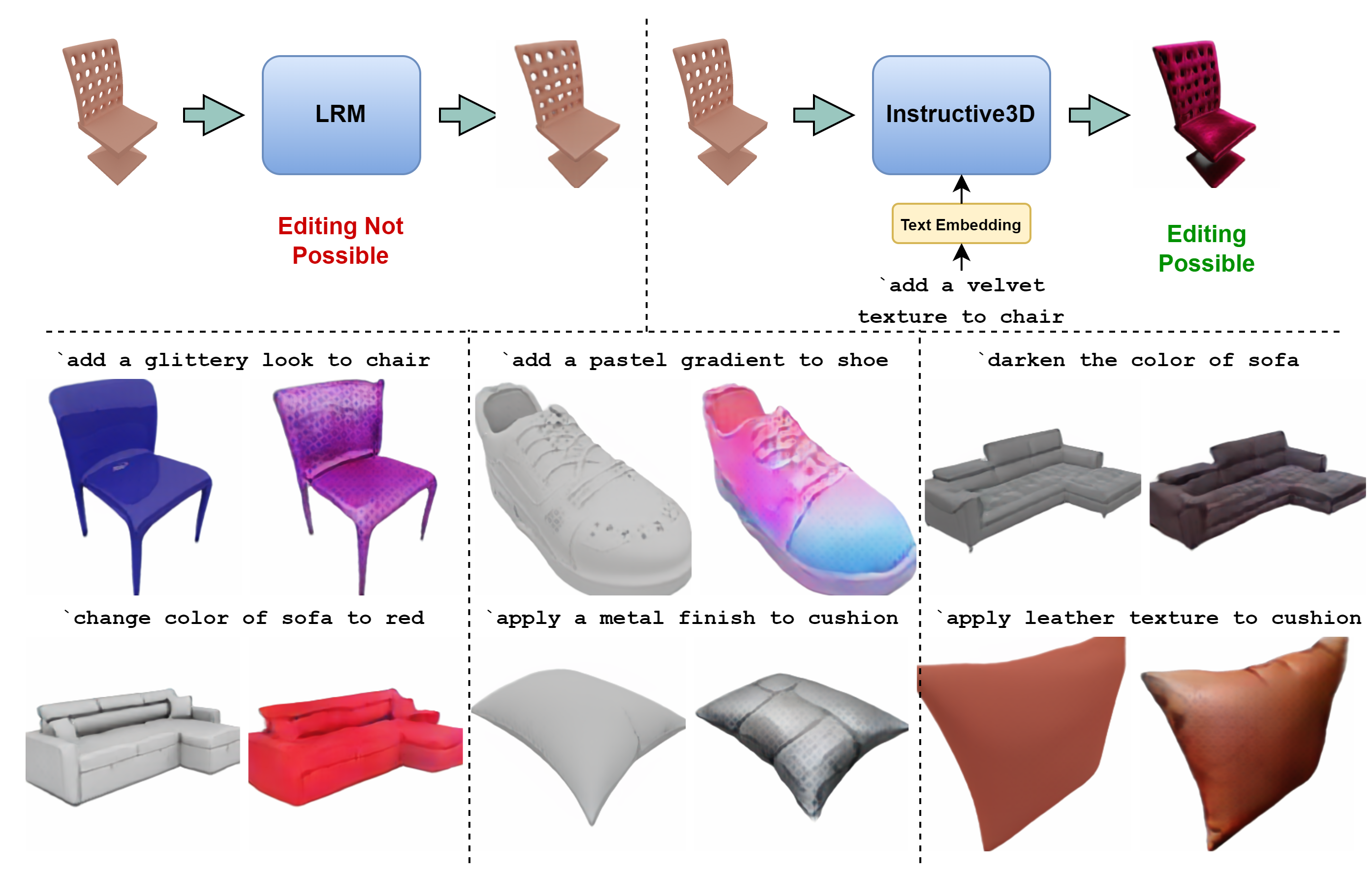
TL;DR: We enable fine-grained text-based editing in LRMs using Triplane latent and diffusion process.

Checkout this podcast generated by NotebookLM

Abstract

Transformer based methods have enabled users to create, modify and comprehend text and image data. Recently proposed Large Reconstruction Models (LRMs) further extend this by providing the ability to generate high-quality 3D models with the help of a single object image. These models, however, lack the ability to manipulate or edit the finer details, such as adding standard design patterns or changing the colour and reflectance of the generated objects, thus lacking fine-grained control that may be very helpful in domains such as augmented reality, animation and gaming. Naively training LRMs for this purpose would require generating precisely edited images and 3D object pairs, which is computationally expensive. In this paper, we propose Instructive3D, a novel LRM based model that integrates generation and fine-grained editing, through user text prompts, of 3D objects into a single model. We accomplish this by adding an adapter that performs a diffusion process conditioned on a text prompt specifying edits in the triplane latent space representation of 3D object models. Our method does not require the generation of edited 3D objects. Additionally, Instructive3D allows us to perform geometrically consistent modifications as the edits through user-defined text prompts are applied to the triplane latent representation thus enhancing the versatility and precision of 3D objects generated. We compare the objects generated by Instructive3D and a baseline that first generates the 3D object meshes using a standard LRM model and then edits these 3D objects using text prompts when images are provided from the Objaverse LVIS dataset. We find tha Instructive3D produces qualitatively superior 3D objects with the properties specified by the edit prompts.
Interpolate start reference image.

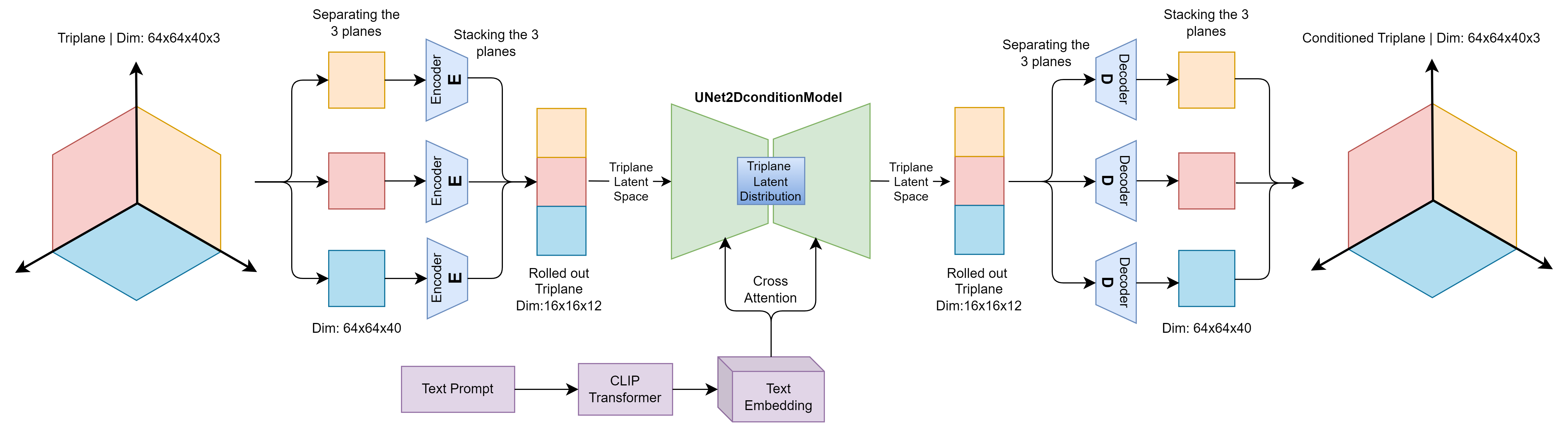
Architecture of our method Instructive3D. The triplane is first generated by the LRM encoder (in this case Real3D), then each plane of the triplane is then separated, normalized between [-1,1] and processed through its dedicated encoder, trained specifically for the corresponding plane. The resulting latent planes have their channels concatenated and passed through a conditional UNet model for denoising, in conjunction with a text embedding obtained from a CLIP transformer based on the input text prompt. The denoised output is then separated back into the three planes, which are passed through their respective decoders. Finally, the planes are stacked together to form the conditioned triplane, reflecting the user-specified text-based modifications. Finally, the conditioned triplane is passed through the decoder of LRM model to obtain textured mesh and rendered video.
More Results

change color to red

Real3D

Instructive3D

change color to powder blue

Real3D

Instructive3D

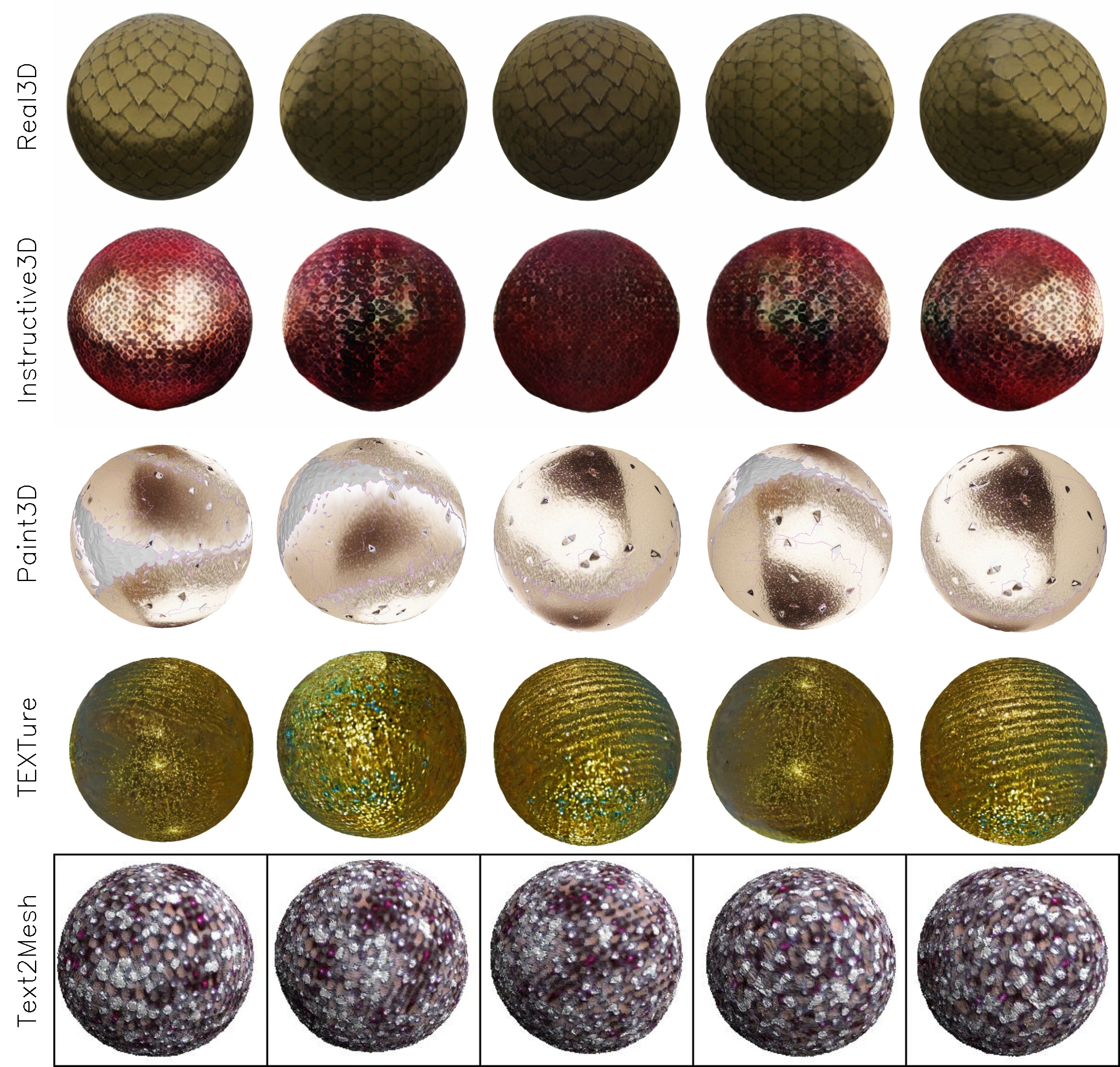
add a glittery look to the ball

Real3D

Instructive3D

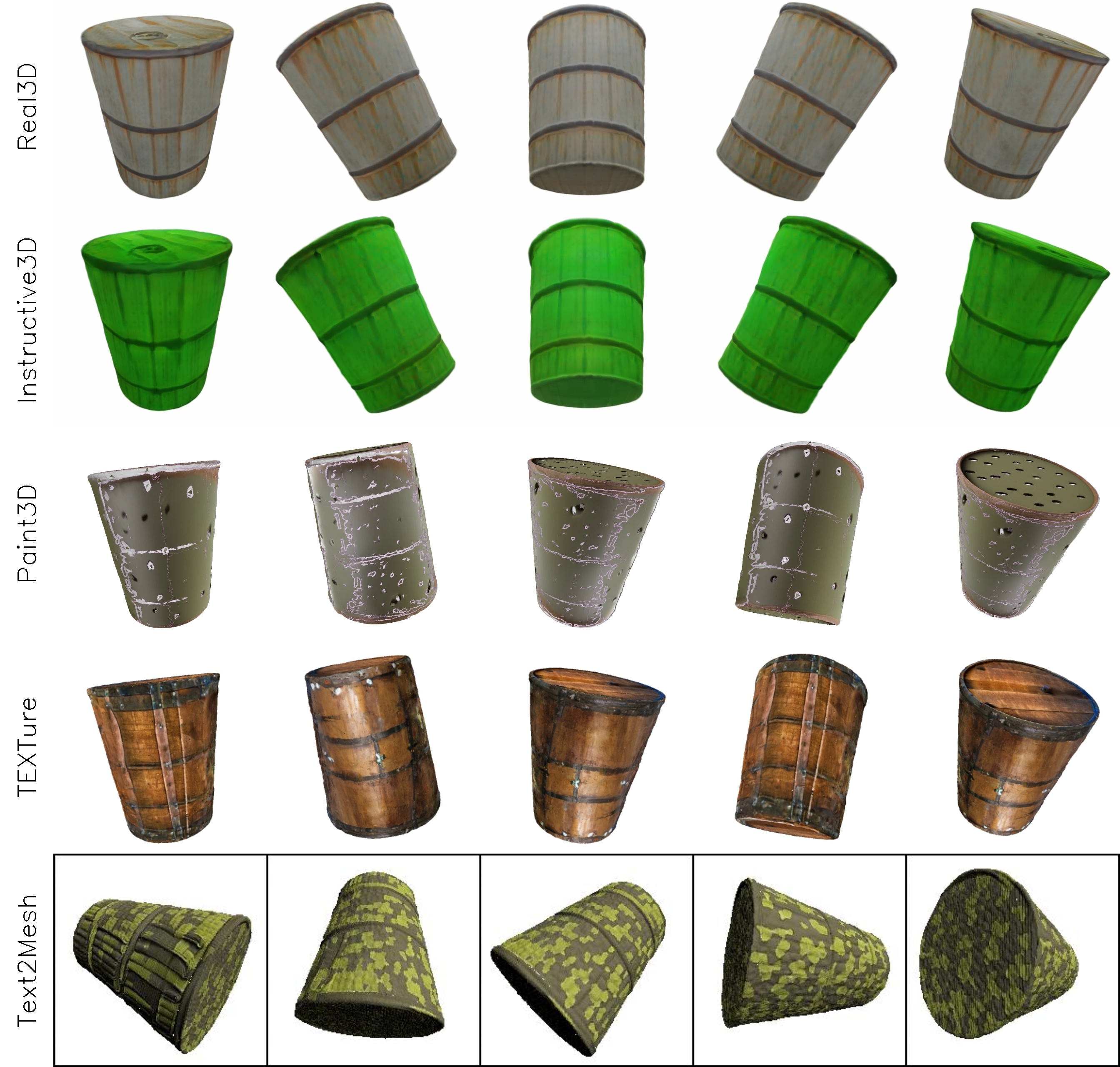
change color of barrel to bamboo green

Real3D

Instructive3D

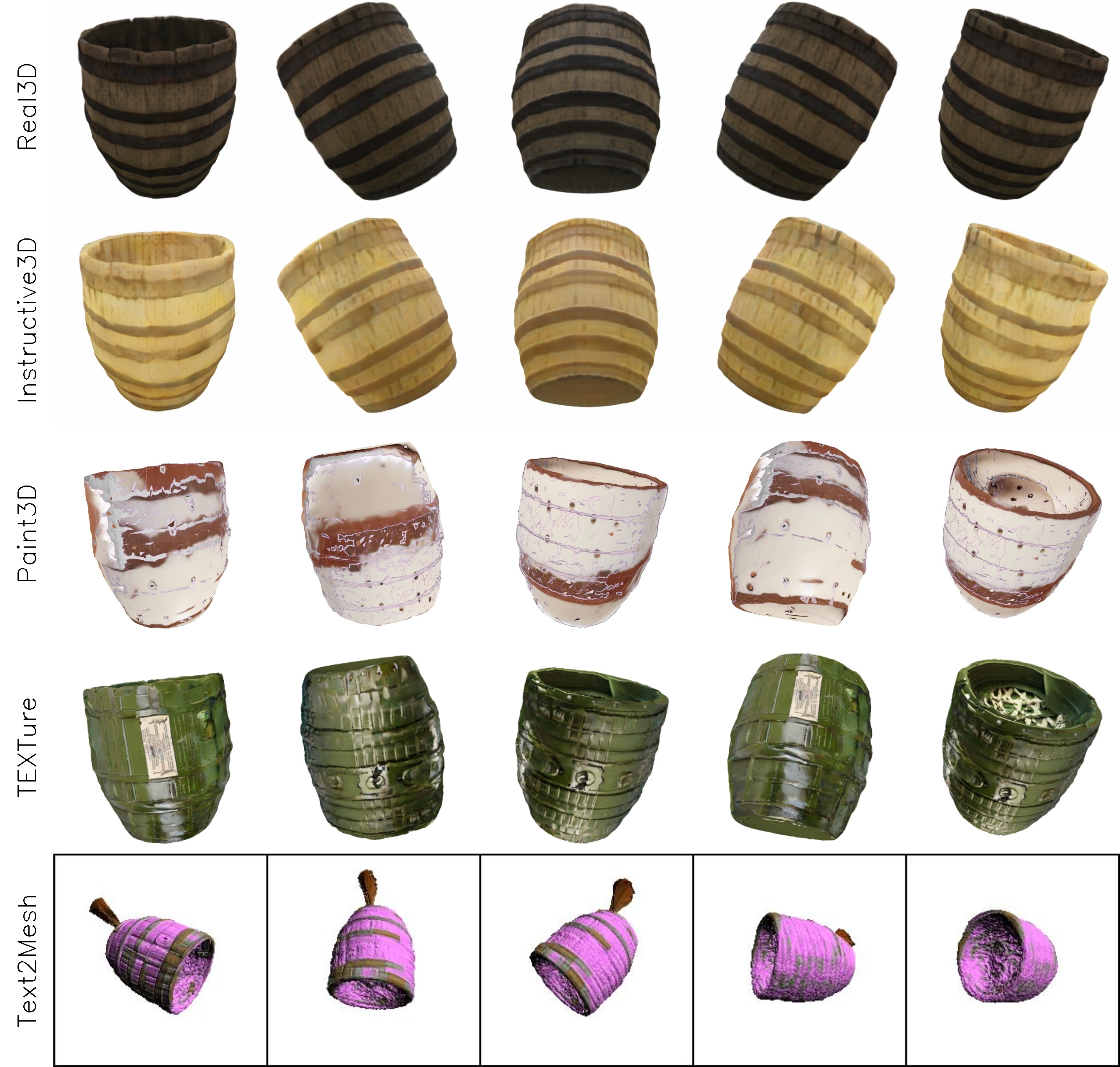
change color of barrel to cream

Real3D

Instructive3D

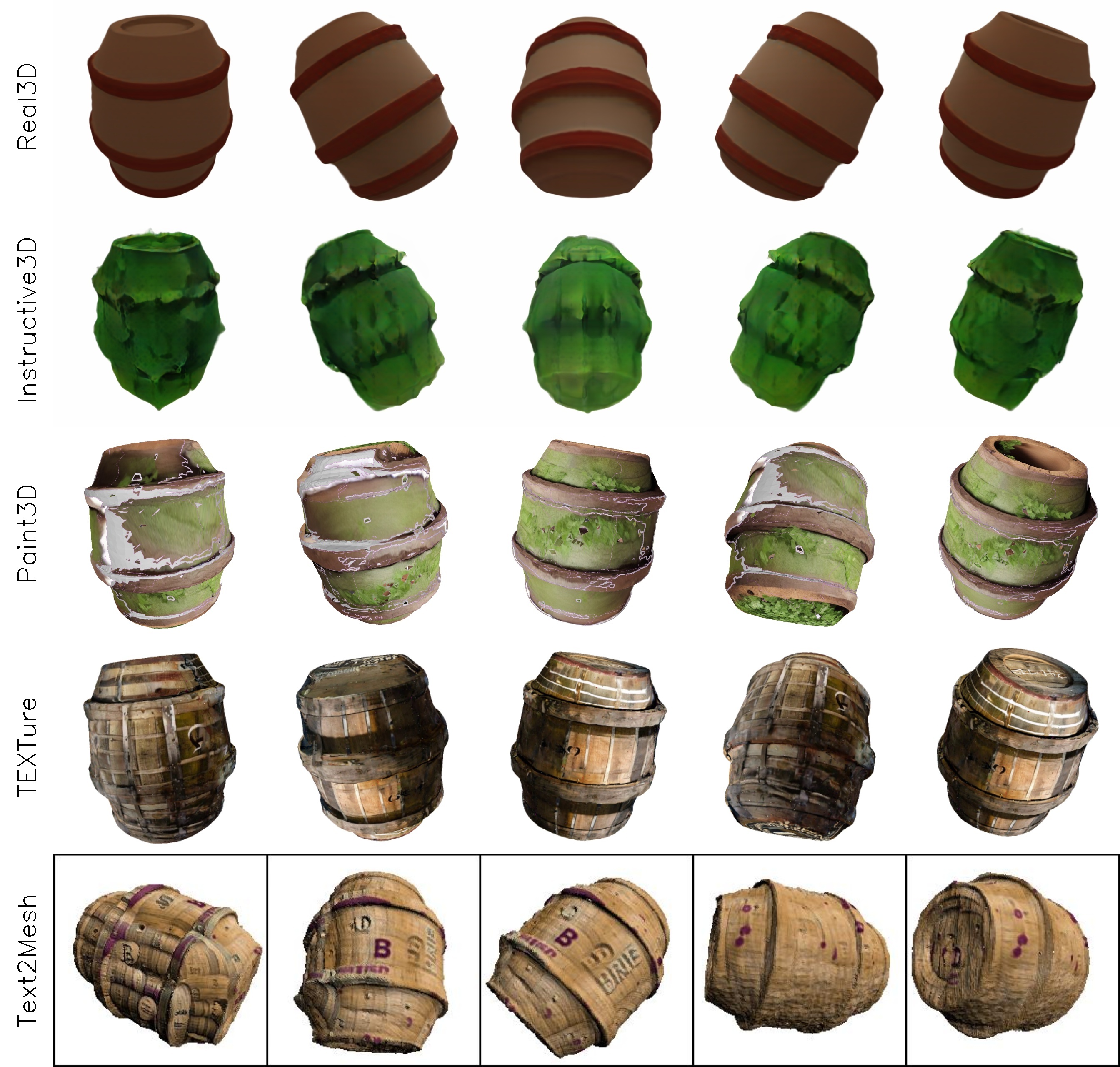
apply leaves on the barrel

Real3D

Instructive3D

add blue stripes to the barrel

Real3D

Instructive3D

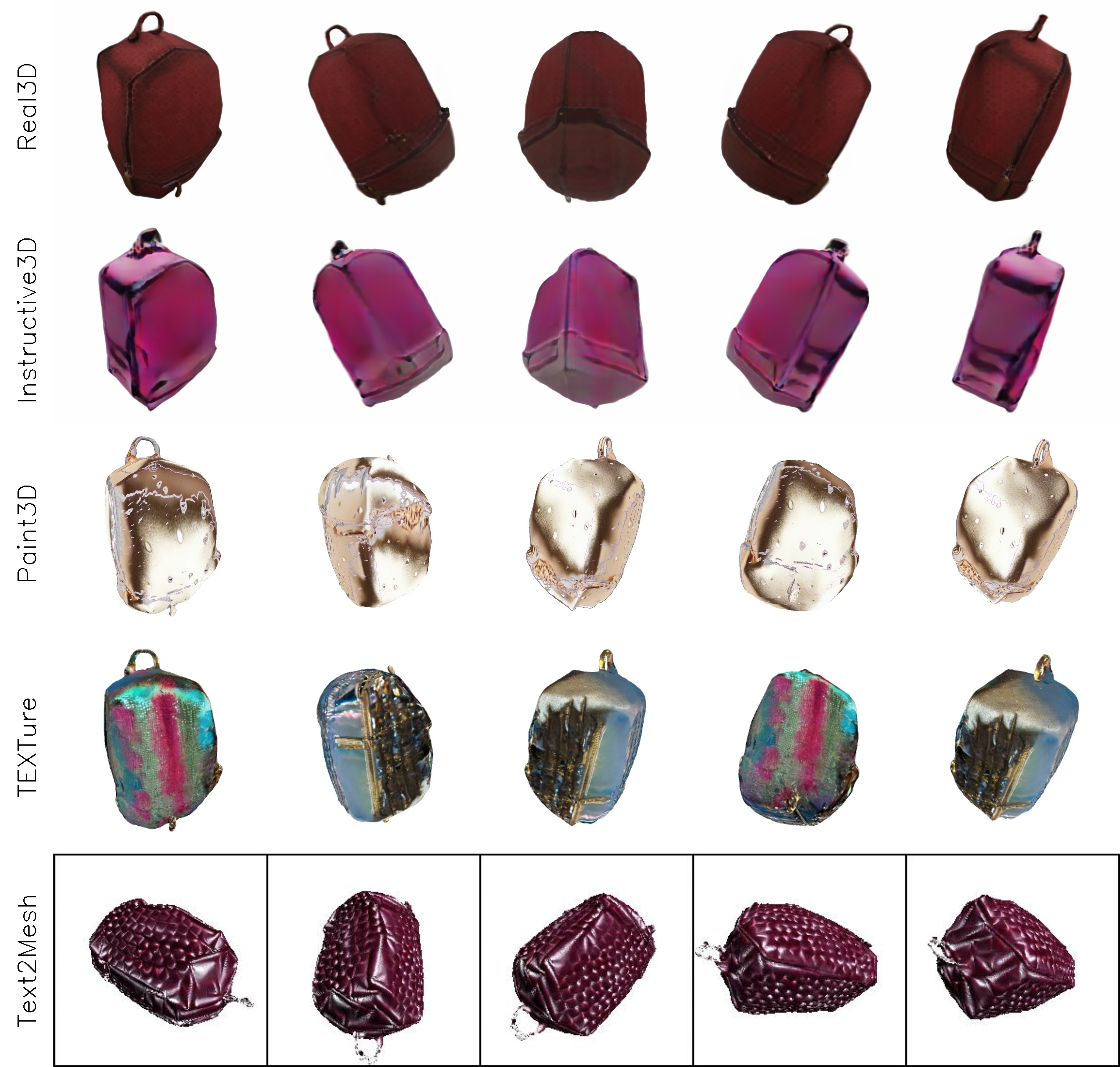
change the color to ruby red

Real3D

Instructive3D

apply a purple gradient color to the can

Real3D

Instructive3D

change color of can to gold

Real3D

Instructive3D

add a marble pattern to the can

Real3D

Instructive3D

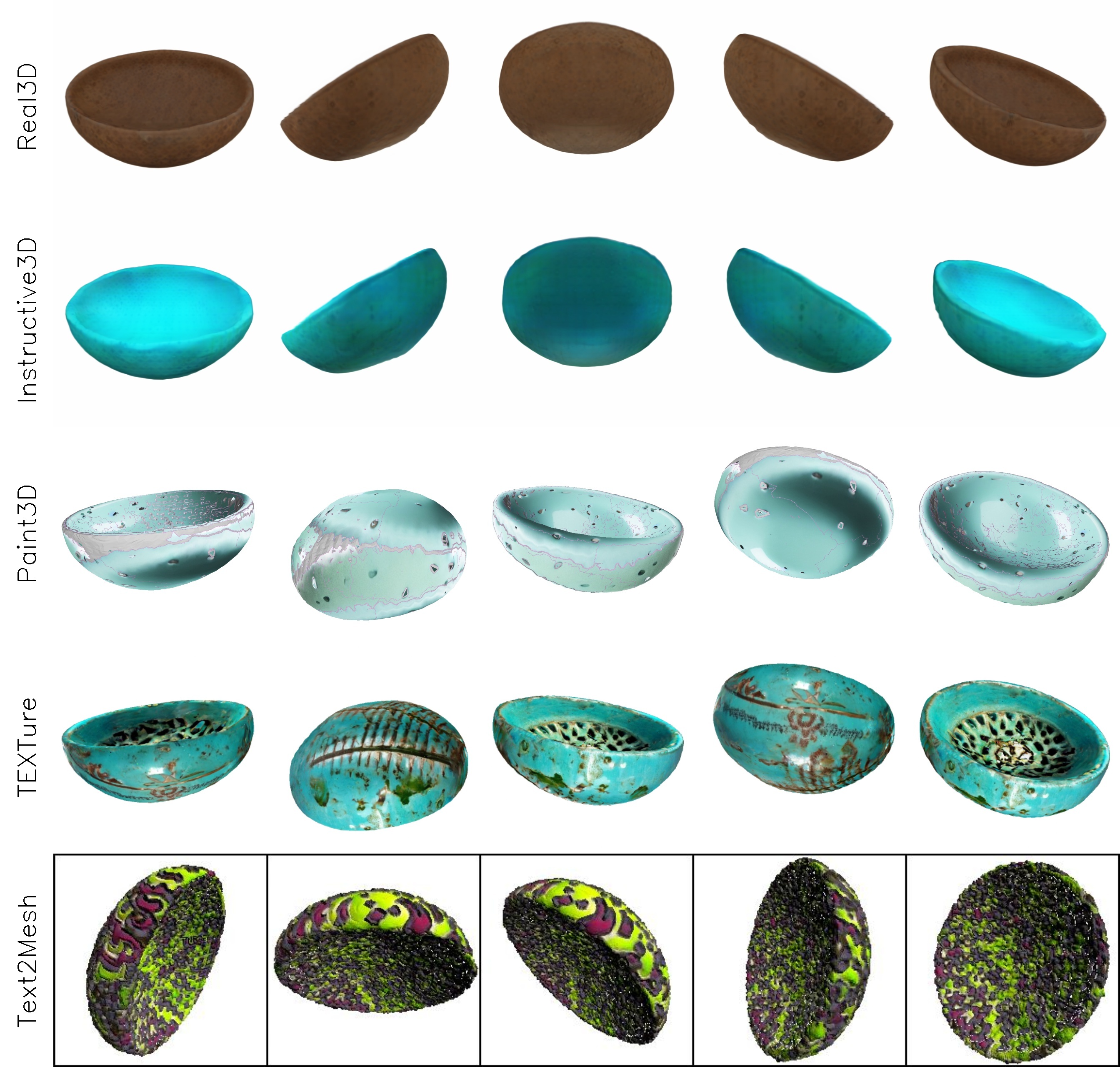
change color of bowl to turqoise

Real3D

Instructive3D

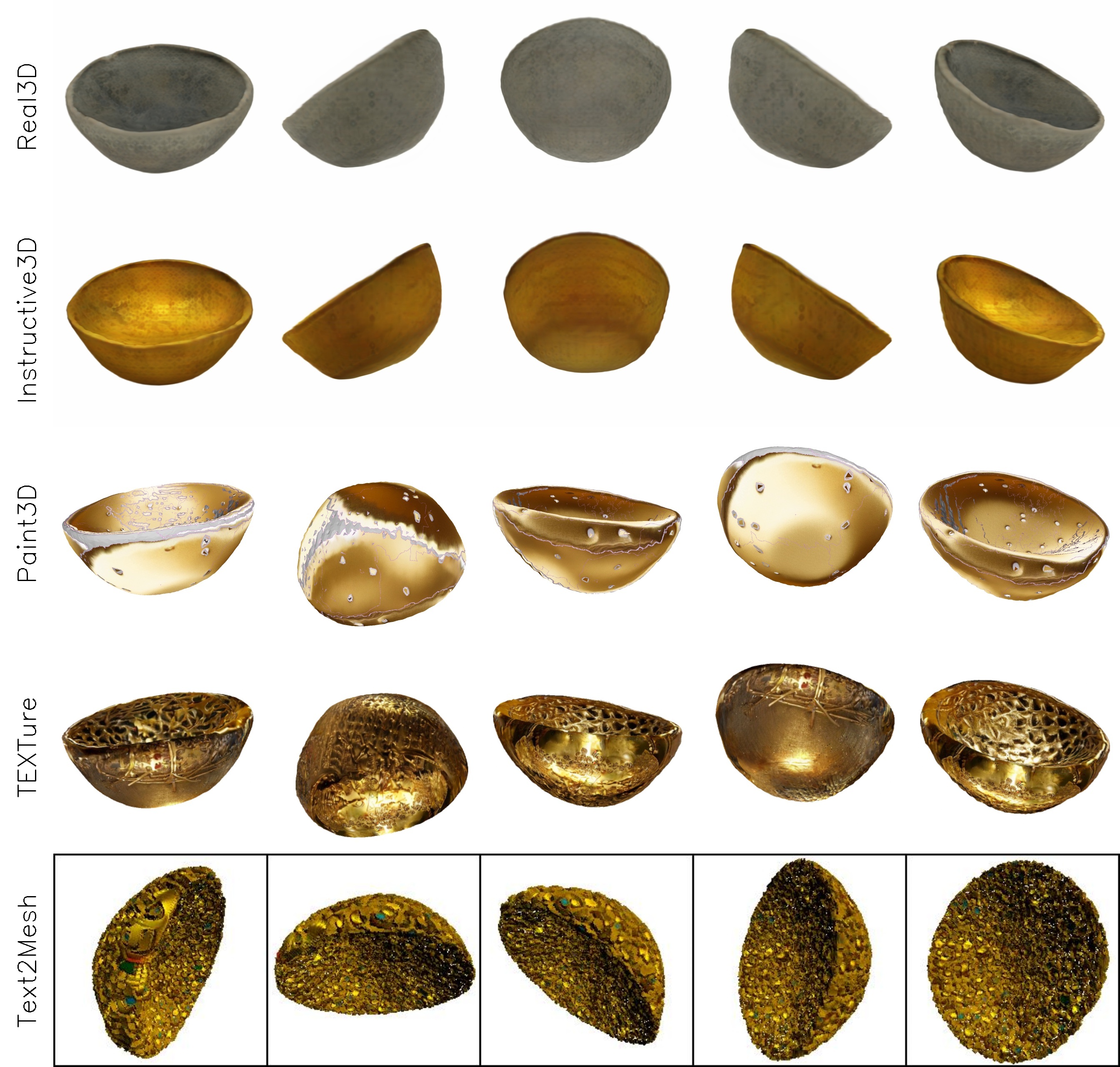
change color of bowl to gold

Real3D

Instructive3D

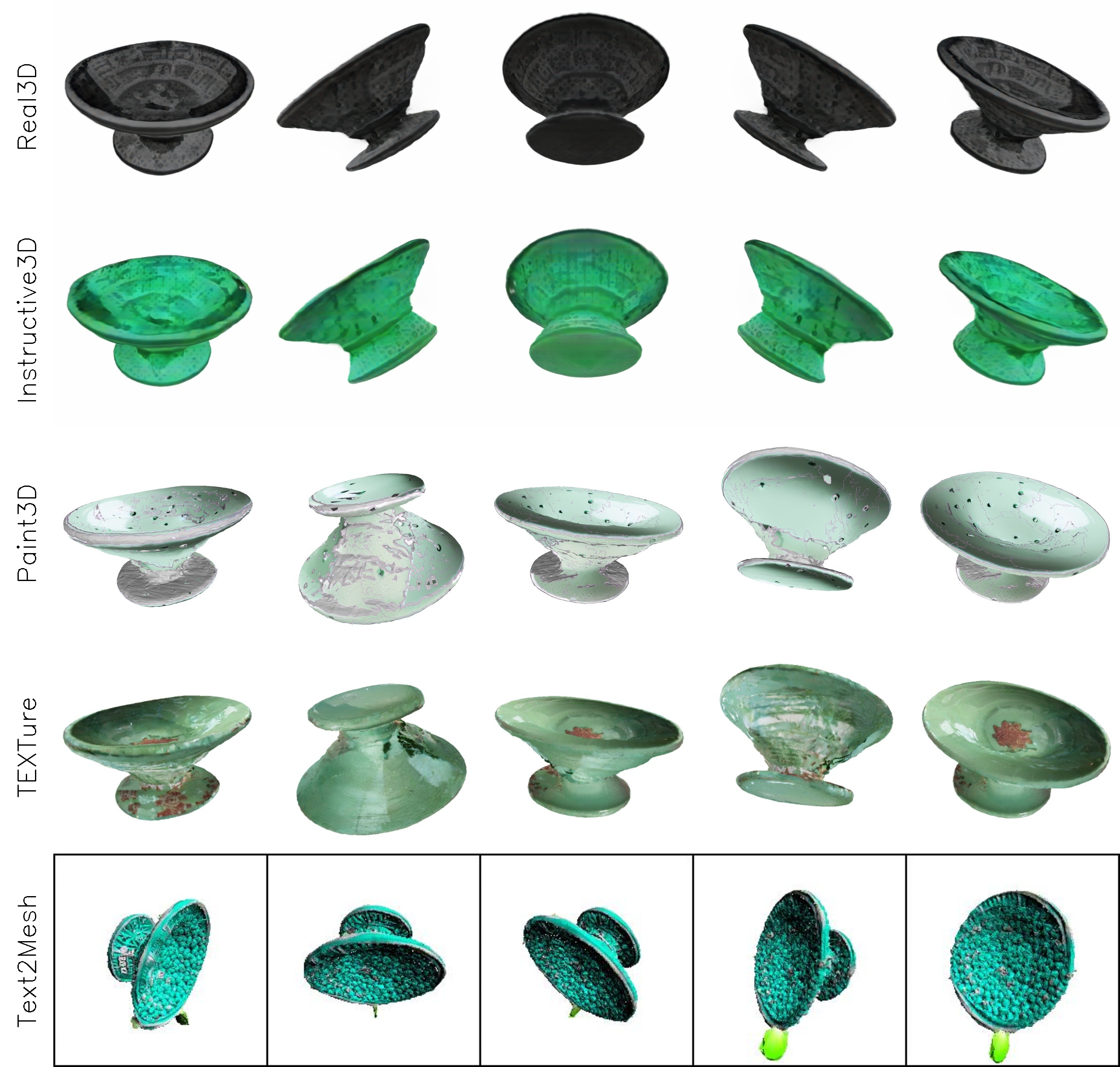
change color of bowl to mint green

Real3D

Instructive3D

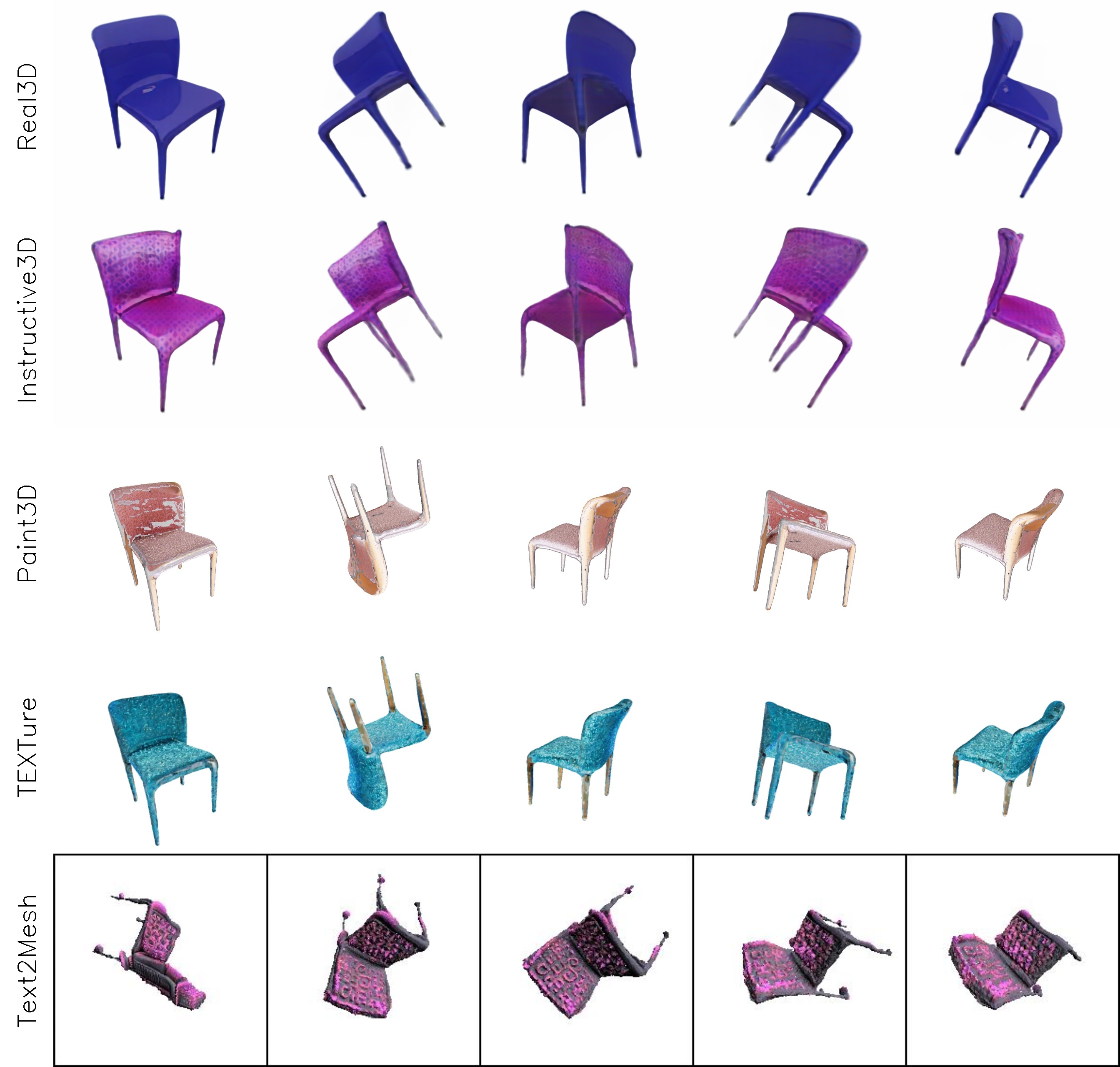
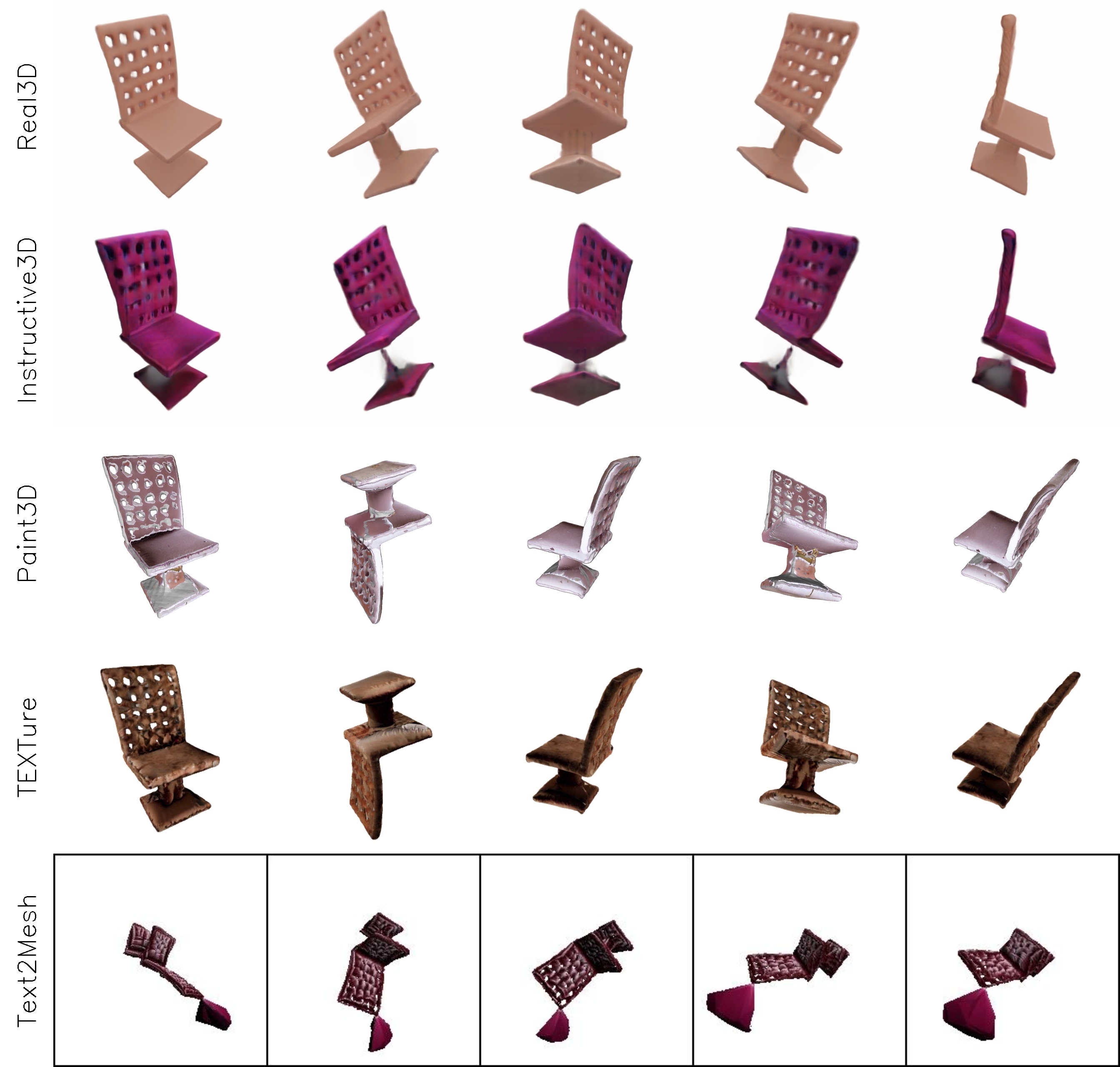
add a purple glittery look to the chair

Real3D

Instructive3D

add a velvet texture to the chair

Real3D

Instructive3D

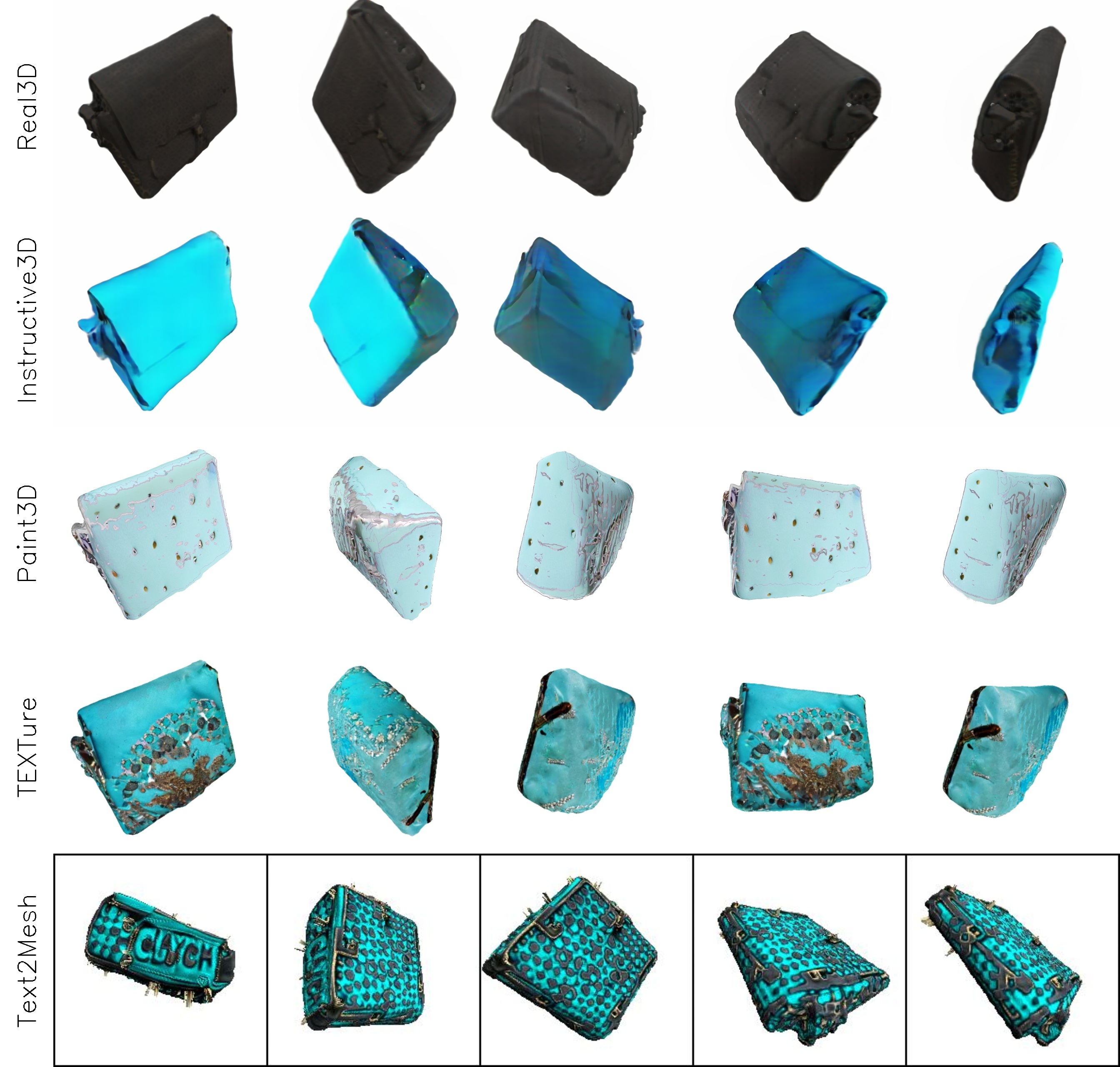
change the colour of clutch bag to cyan

Real3D

Instructive3D

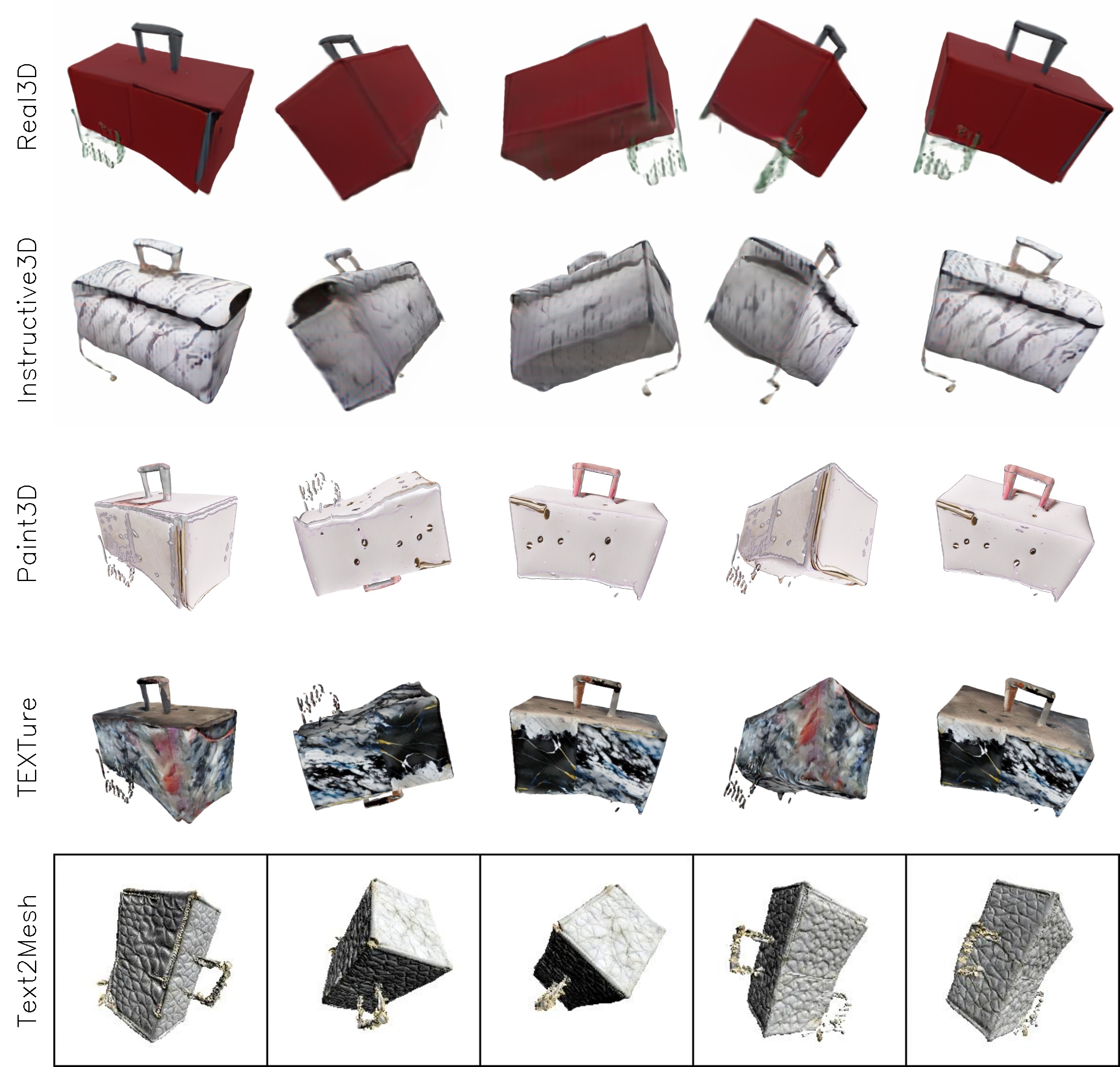
apply marble texture to the clutch bag

Real3D

Instructive3D

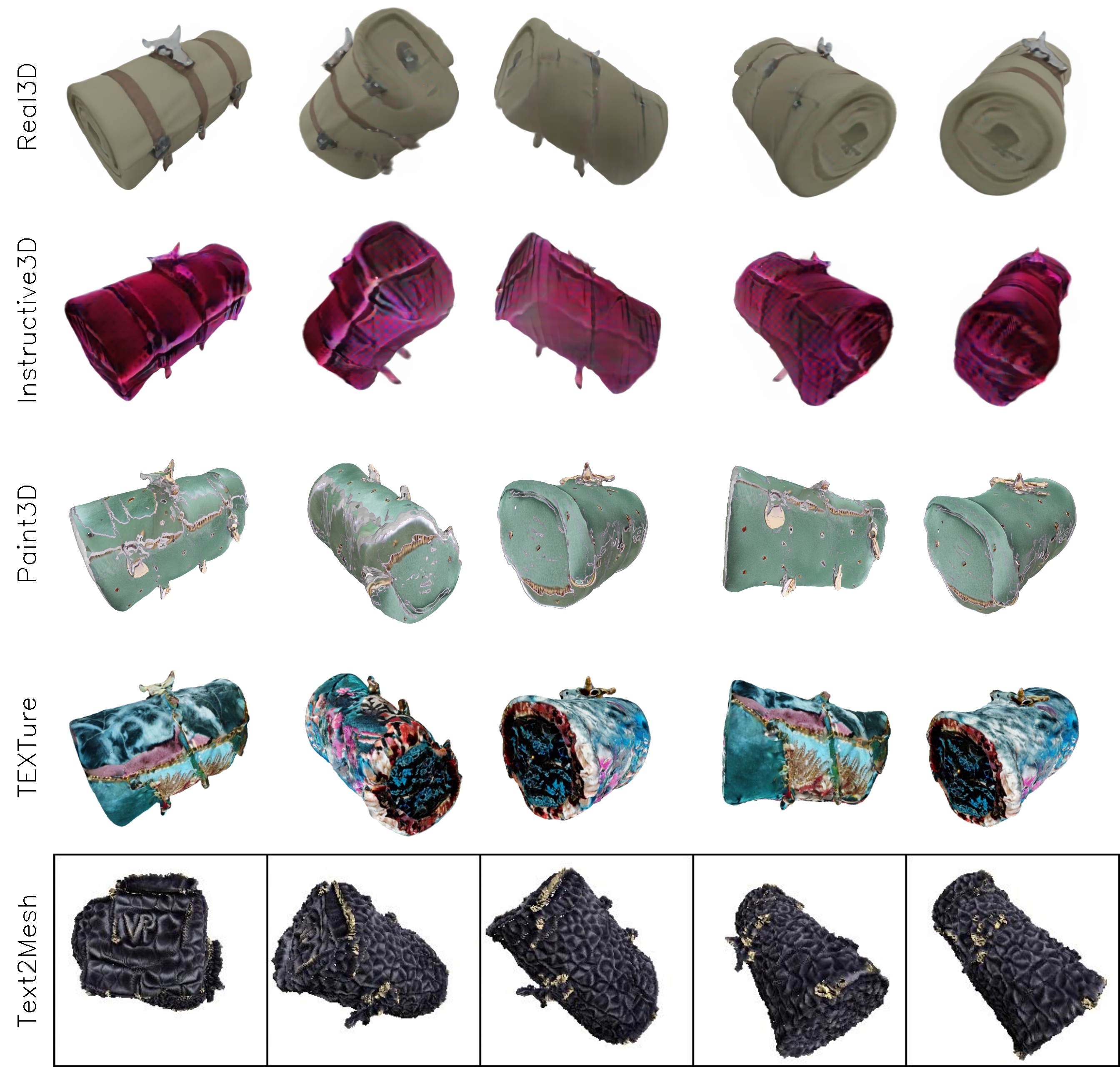
add a velvet texture overlay to the clutch bag

Real3D

Instructive3D

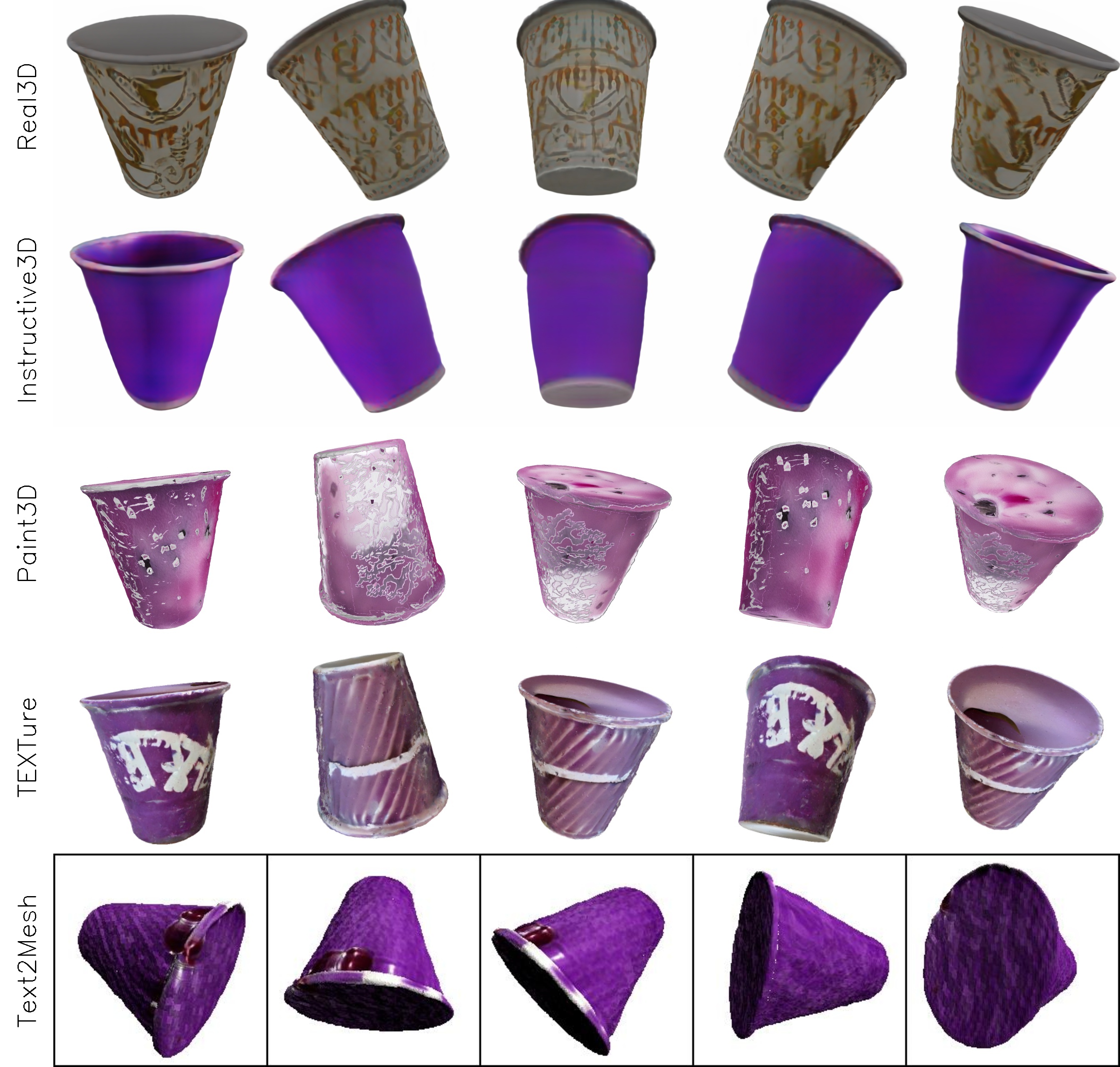
change the color of cup to purple

Real3D

Instructive3D

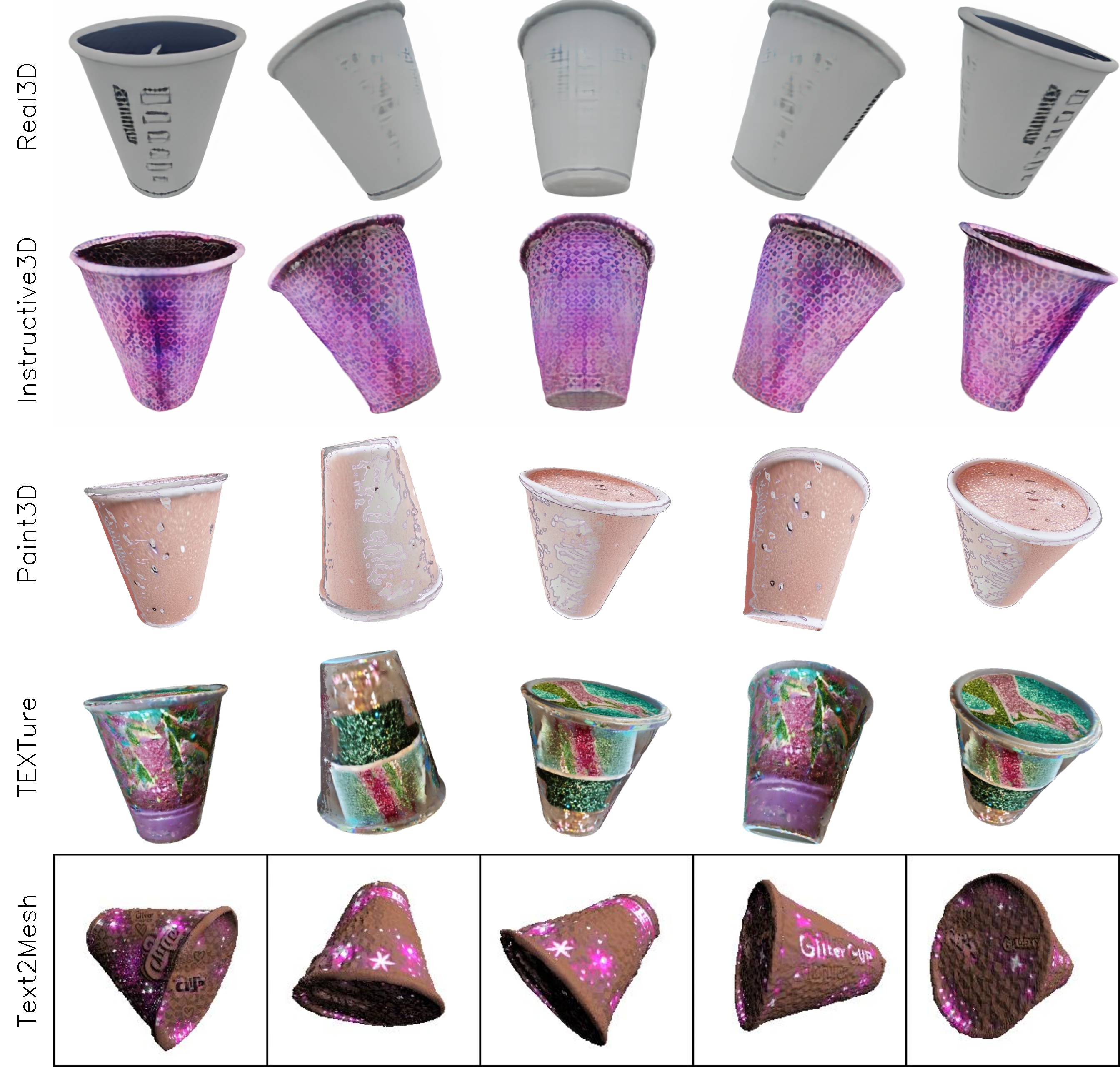
add a glittery overlay to cup

Real3D

Instructive3D

add a gradient design to cup

Real3D

Instructive3D

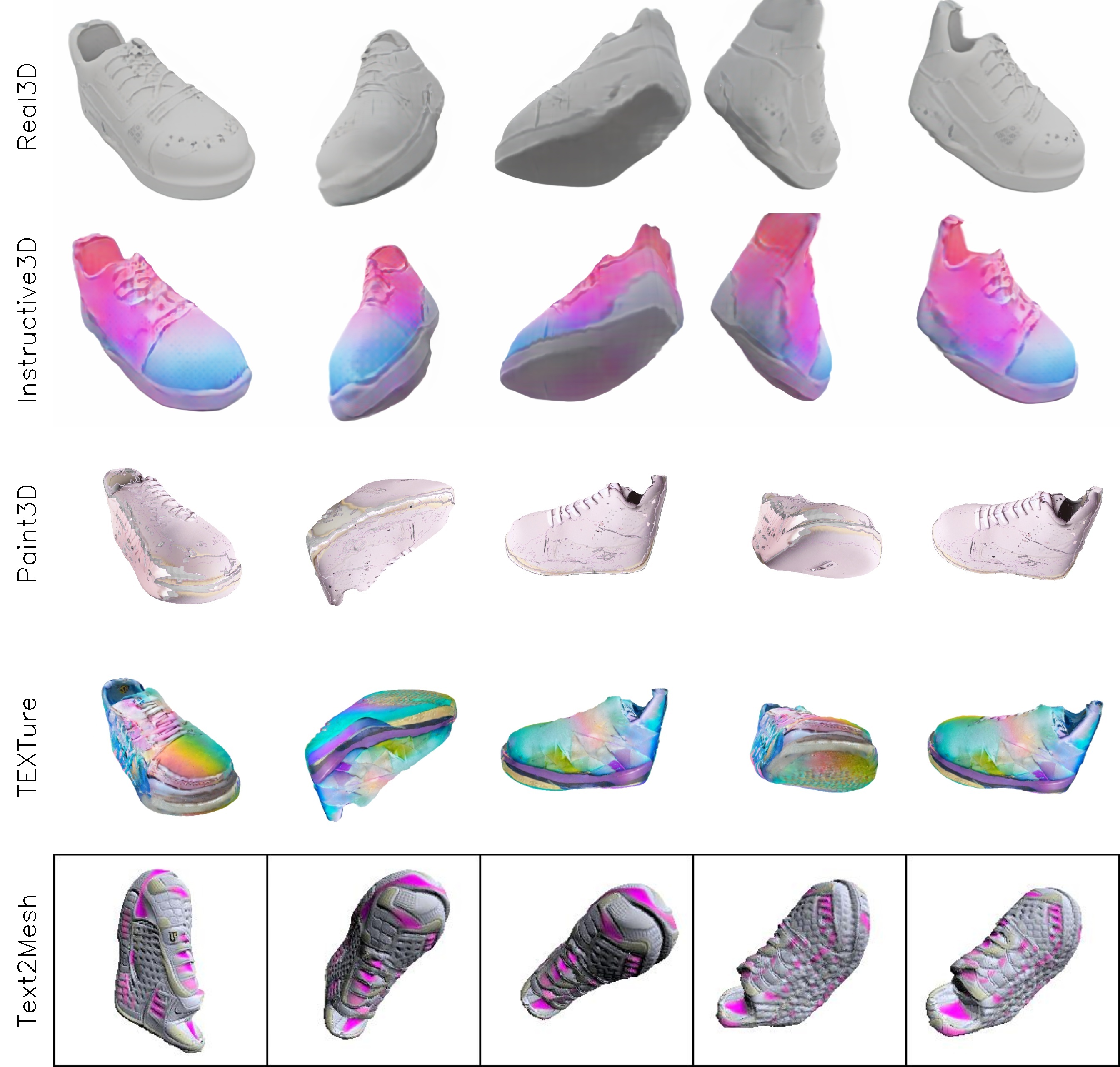
add a pastel gradient to the shoe

Real3D

Instructive3D

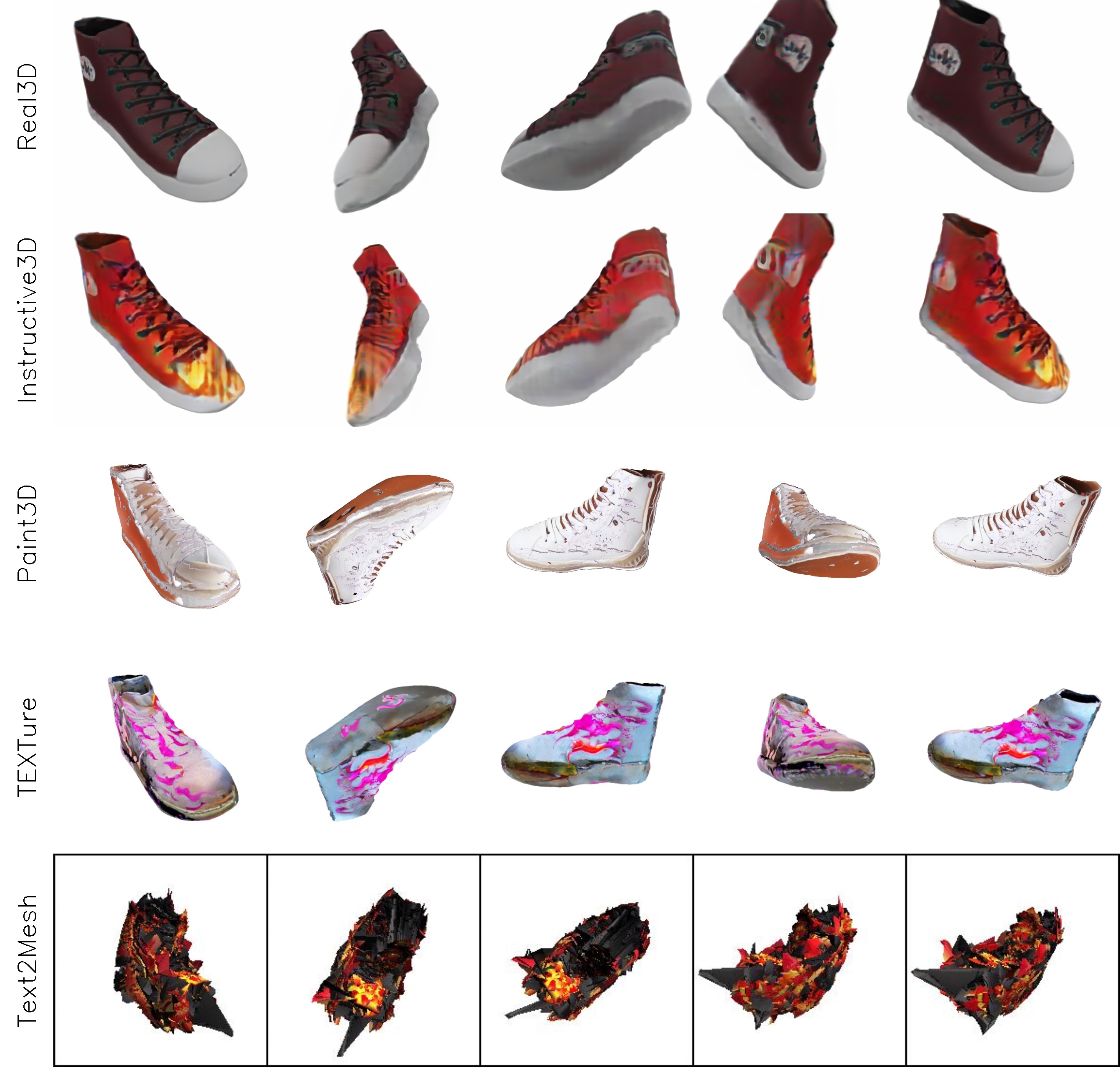
add a flame design to the shoe

Real3D

Instructive3D

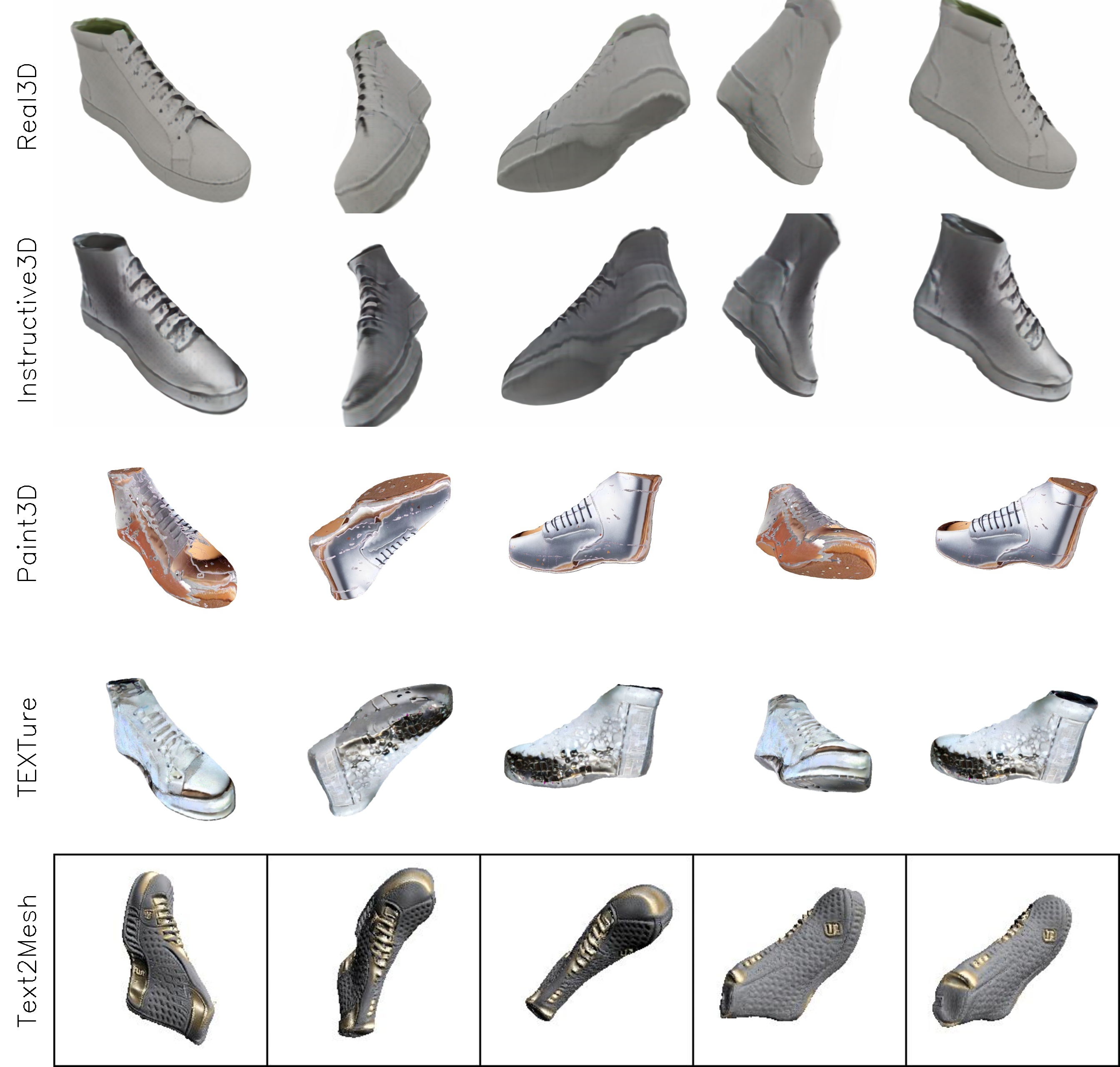
add a brushed metal finish to the shoe

Real3D

Instructive3D

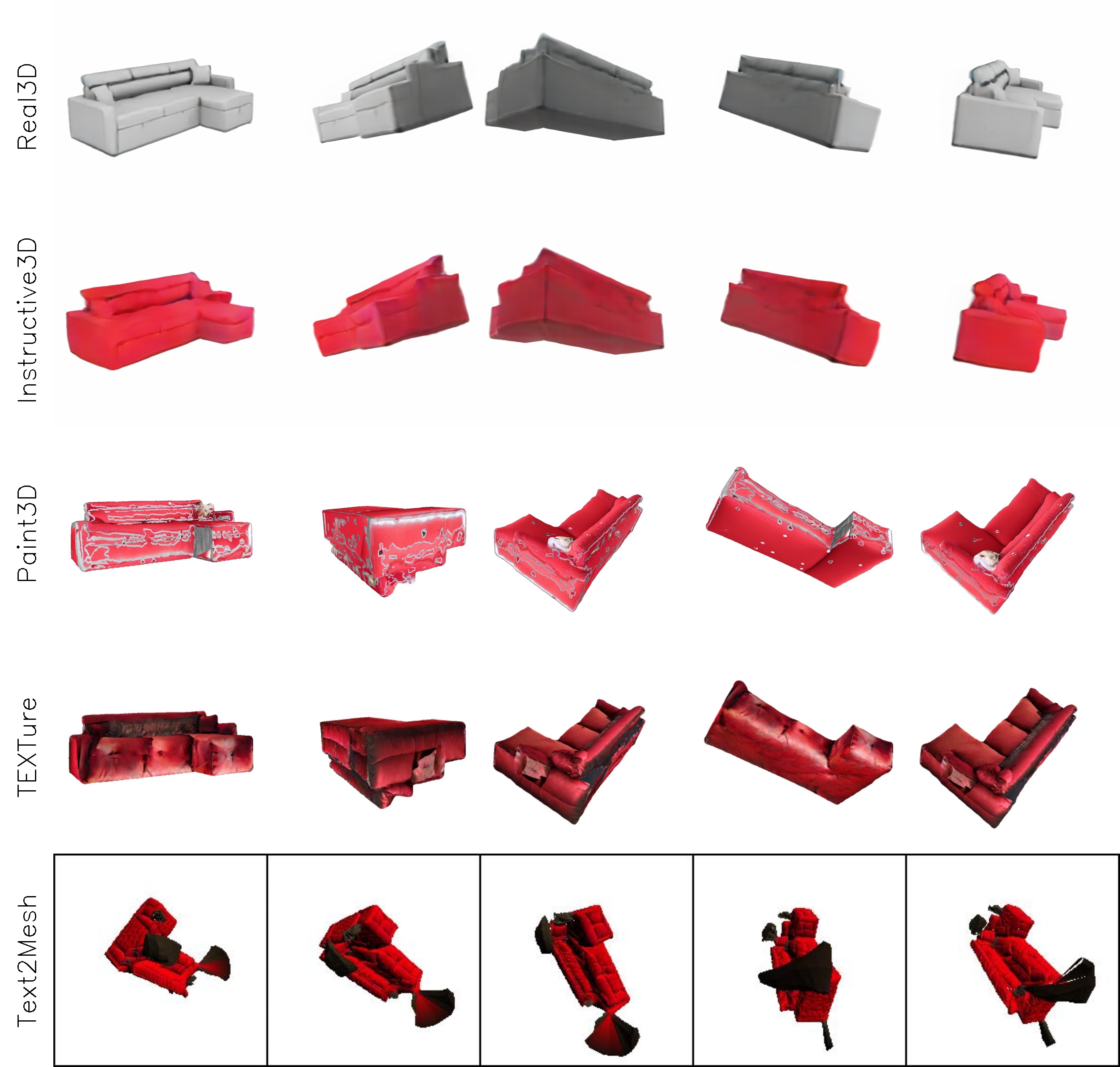
change the color of sofa to red

Real3D

Instructive3D

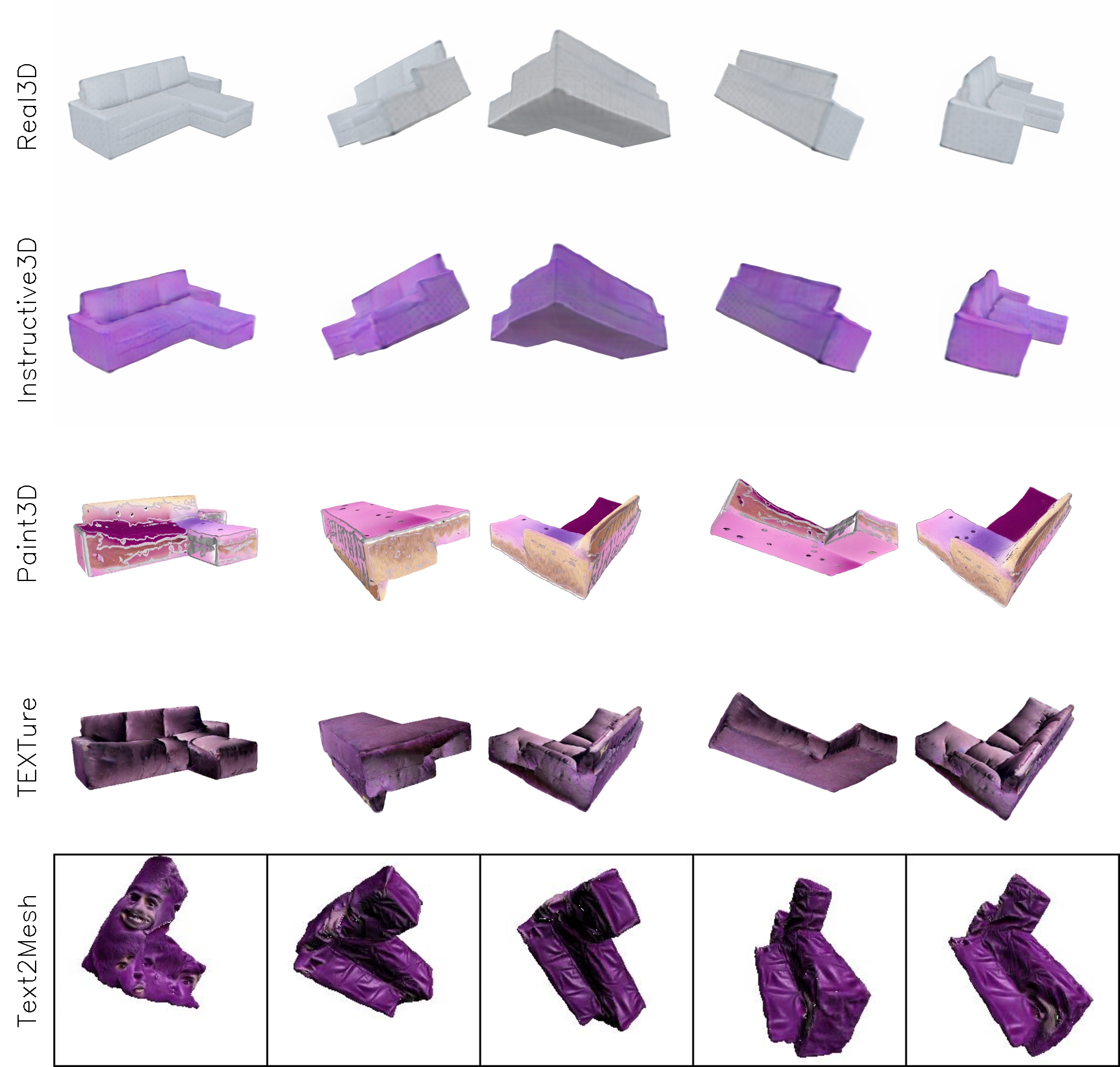
change the color to purple

Real3D

Instructive3D

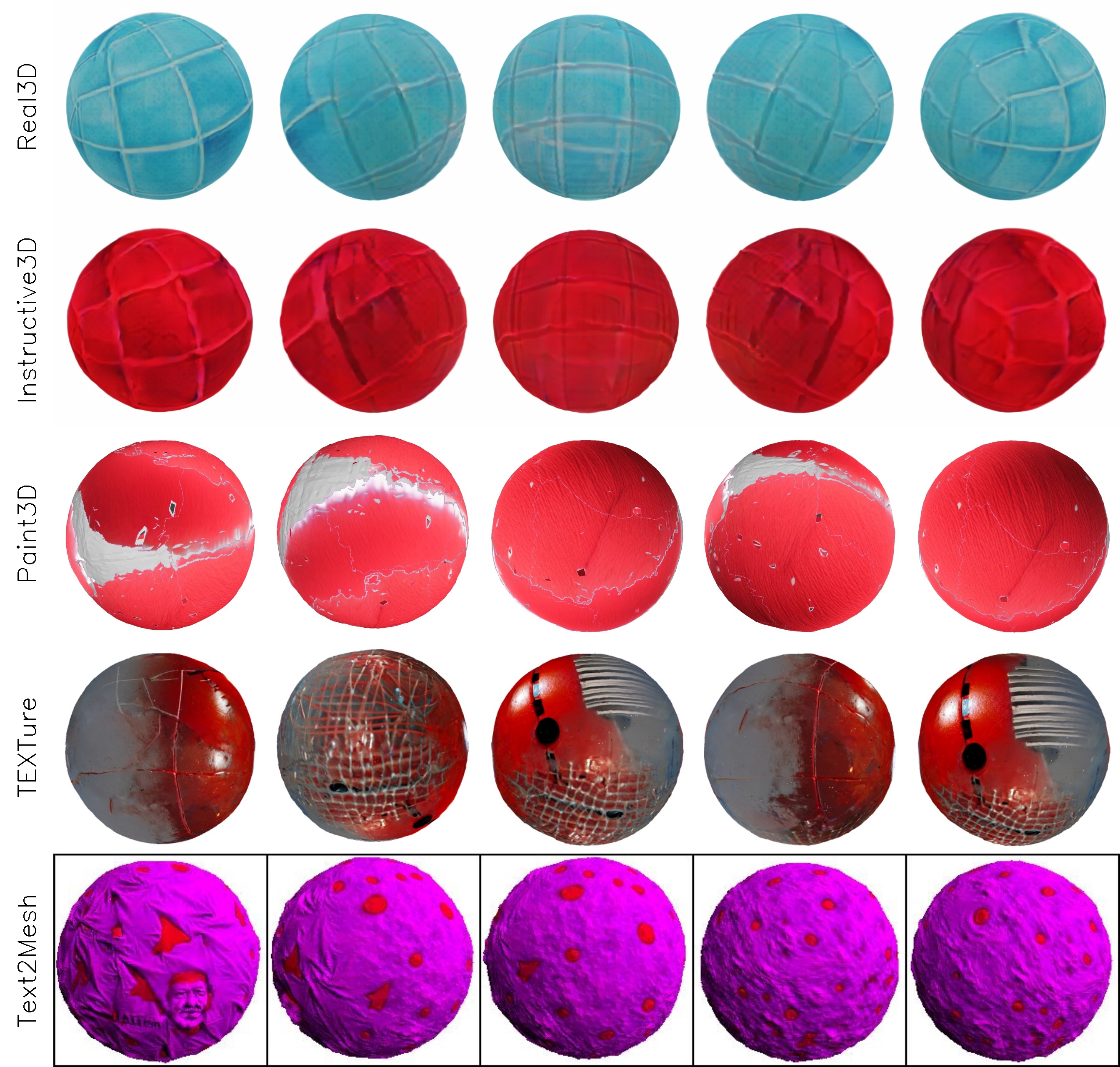
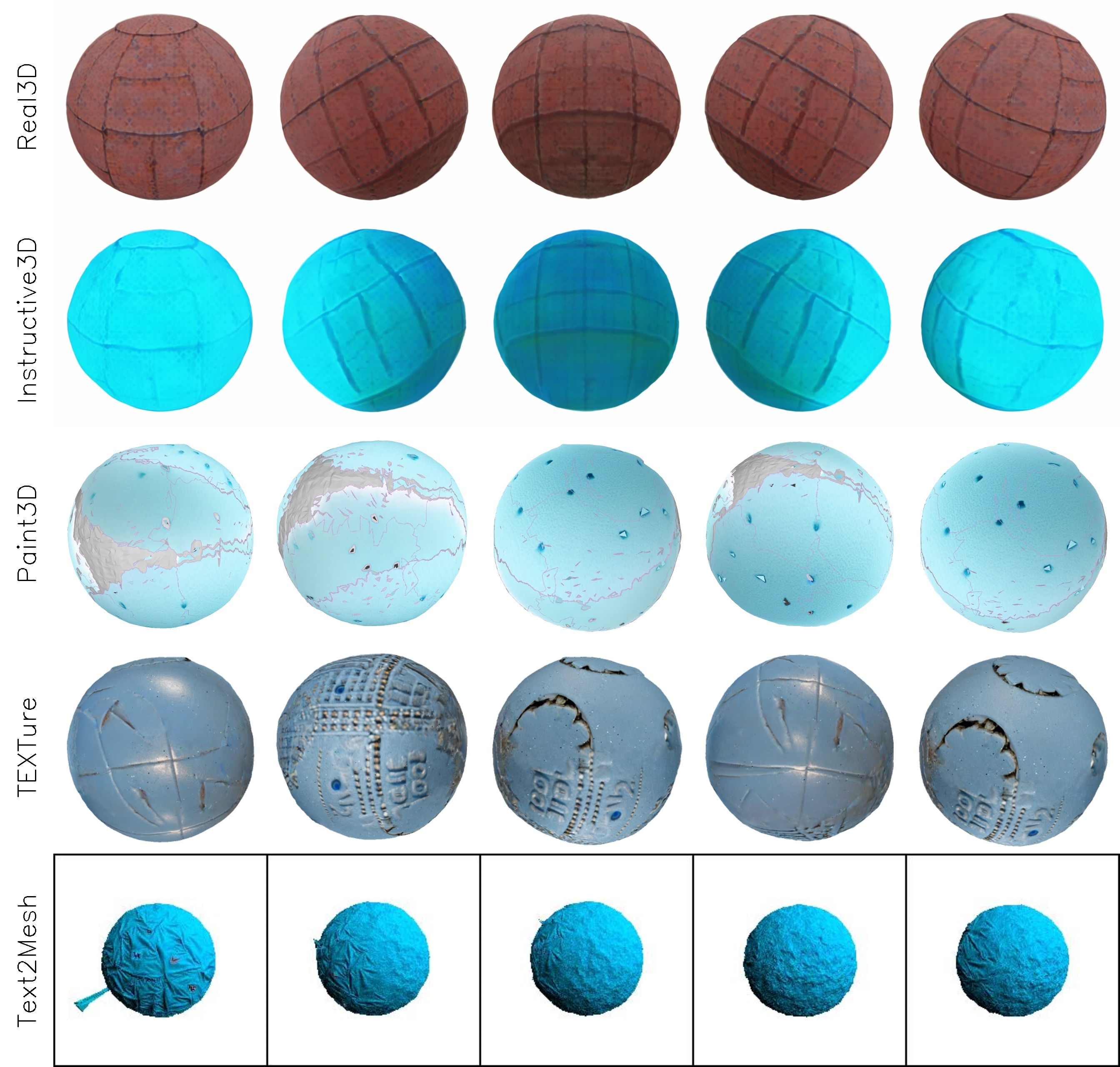
Baseline Comparison

change color to red

change color to powder blue

add a glittery look to the ball

change color of barrel to olive green

change color of barrel to cream

apply leaves on the barrel

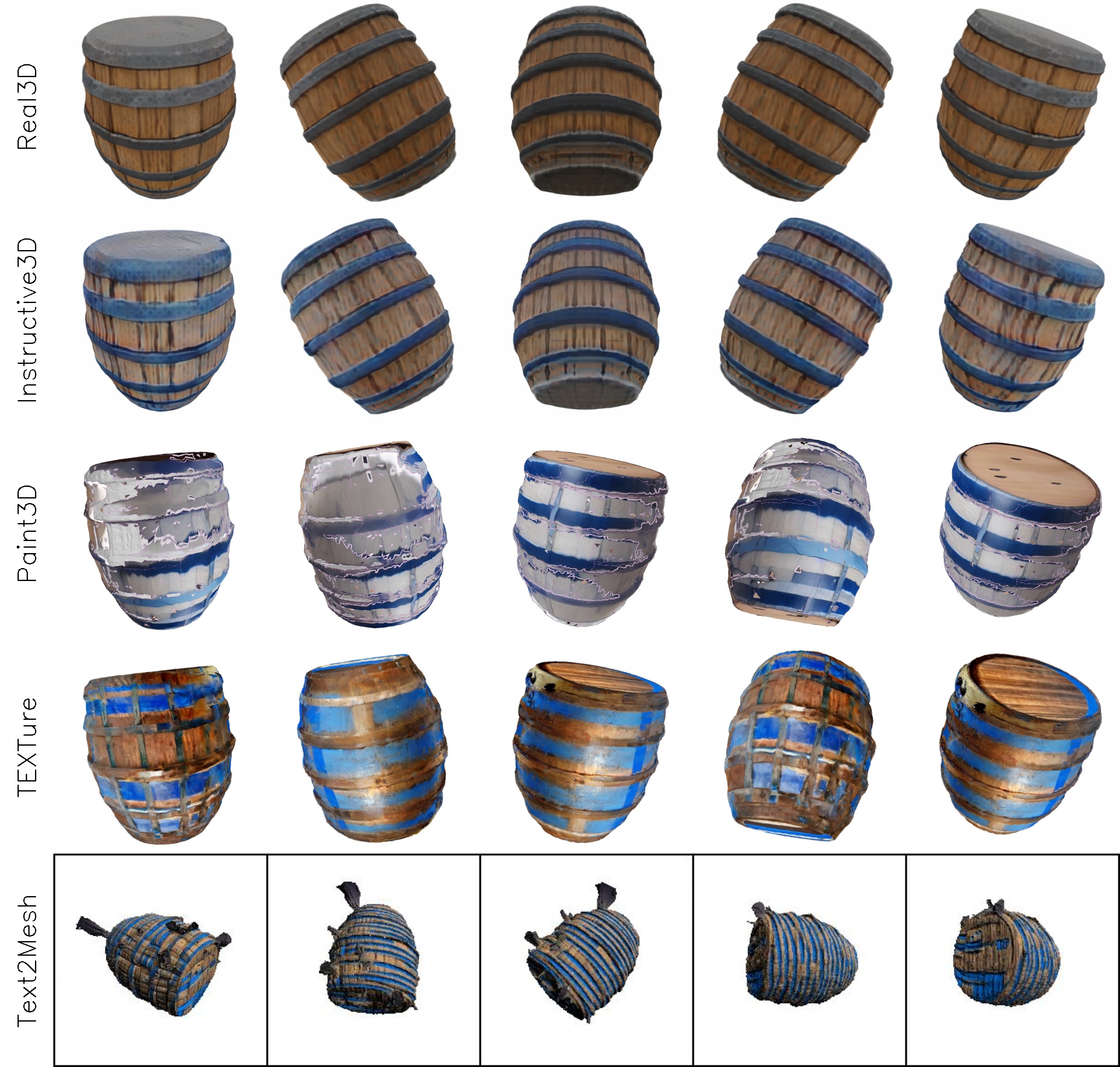
add blue stripes to the barrel

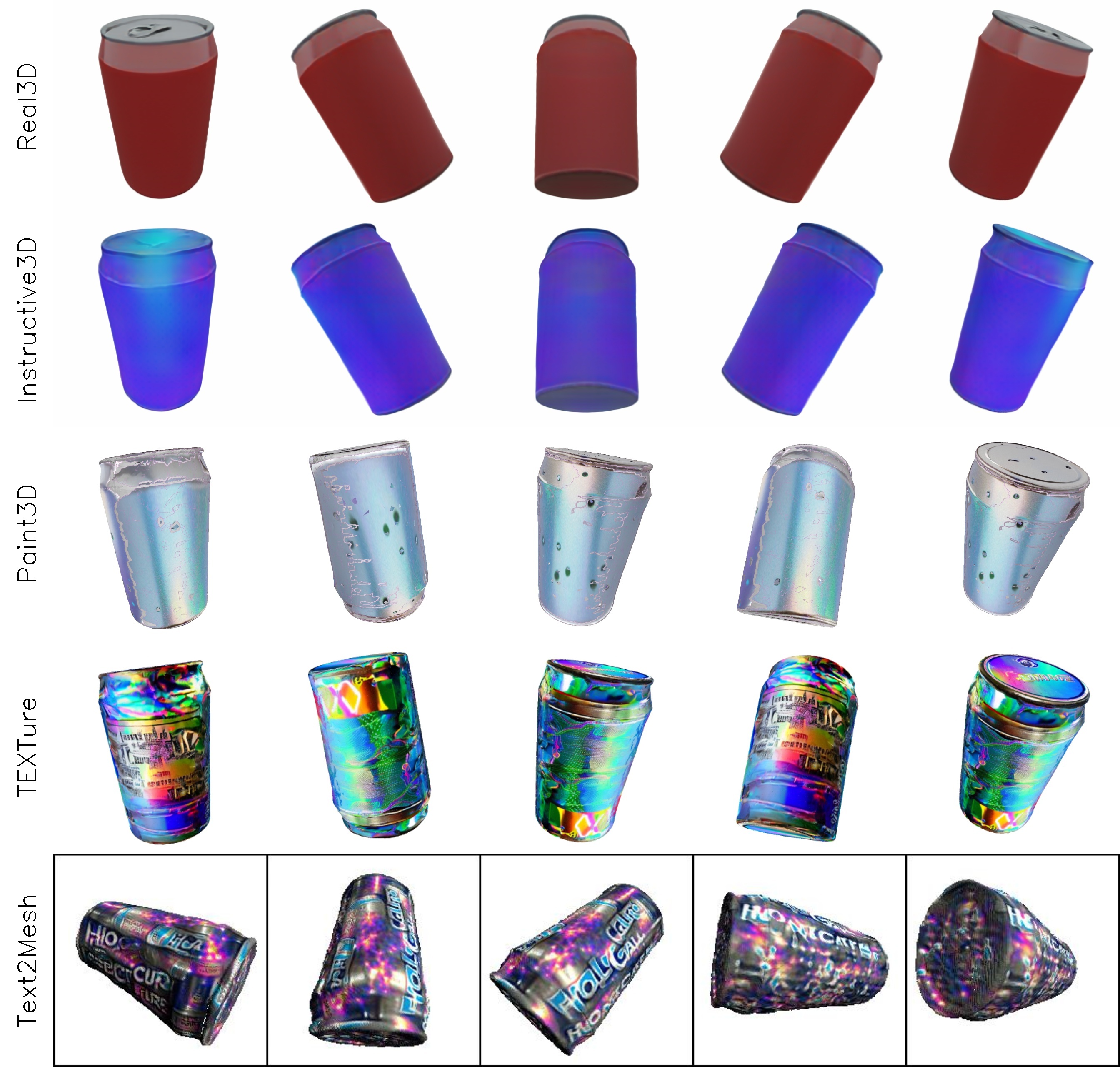
apply a purple gradient color to can

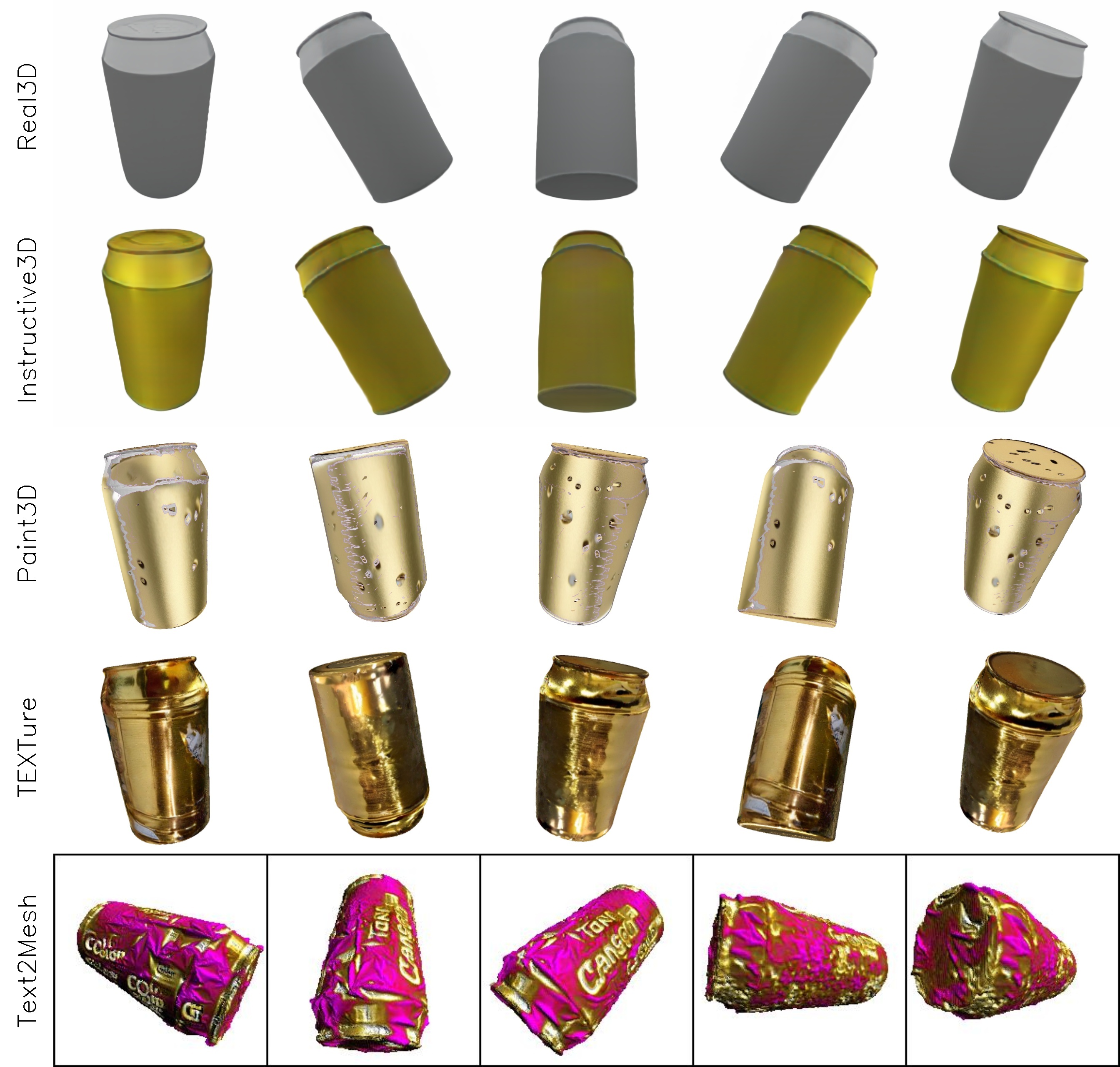
change color of can to gold

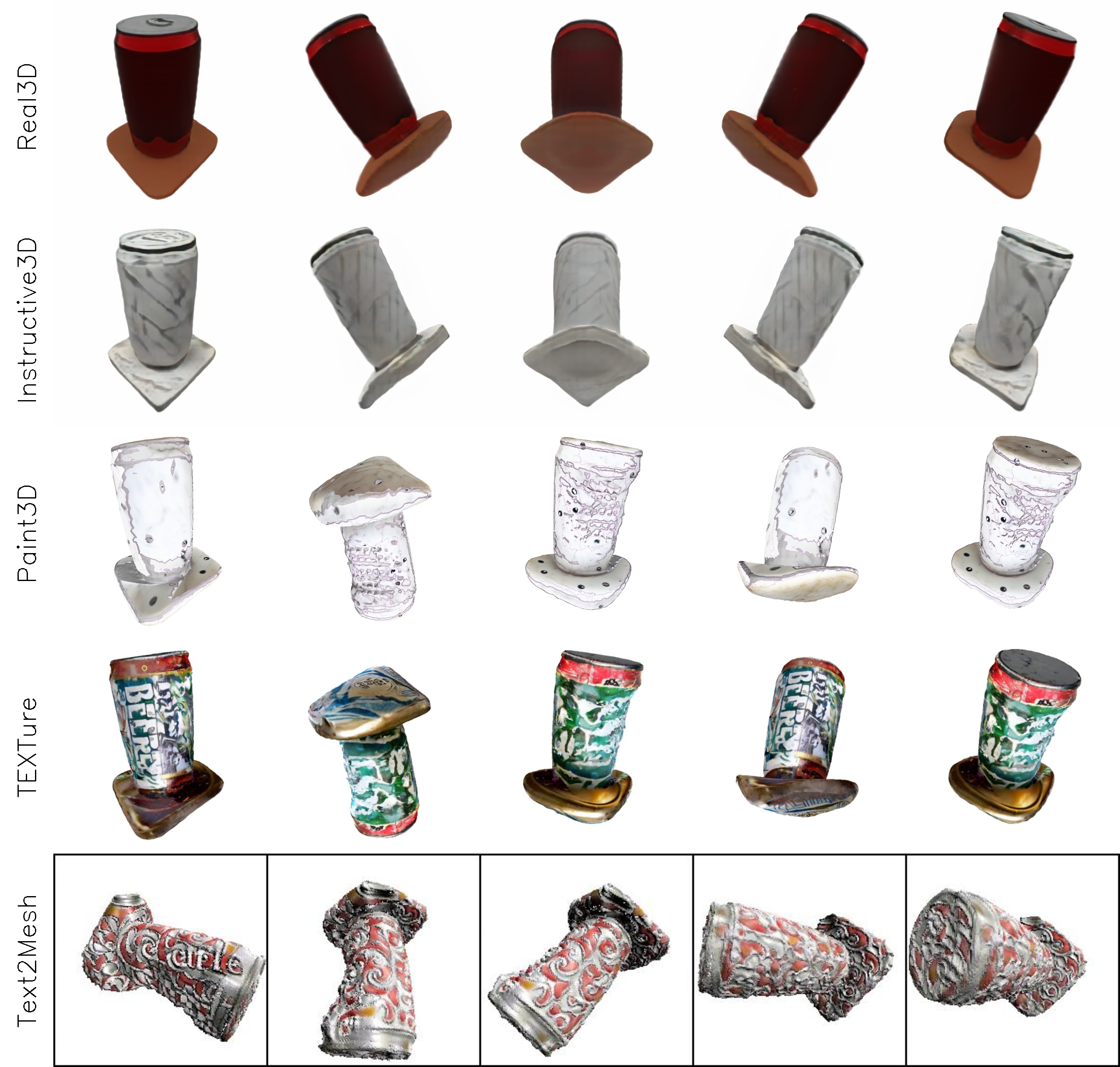
add a marble effect to the can

change color of bowl to turqoise

change color of bowl to gold

change color of bowl to mint green

add a glittery look to chair

add a velvet texture to the chair

change color of clutch bag to cyan

apply marble texture to the clutch bag

add a glossy texture to the clutch bag

add a velvet texture to the clutch bag

change the color of cup to purple

add a glittery overlay to the cup

add a pastel gradient to the shoe

add a flame design to the shoe

add a brushed metal finish to the shoe

change the color of sofa to red

change color of sofa to purple

BibTeX

@InProceedings{Kathare_2025_WACV, author = {Kathare, Kunal and Dhiman, Ankit and Gowda, K Vikas and Aravindan, Siddharth and Monga, Shubham and Vandrotti, Basavaraja Shanthappa and Boregowda, Lokesh R}, title = {Instructive3D: Editing Large Reconstruction Models with Text Instructions}, booktitle = {Proceedings of the Winter Conference on Applications of Computer Vision (WACV)}, month = {February}, year = {2025}, pages = {3246-3256} }

Thank You